
LeadScape® Workflow Software
LeadScape® Software for Faster, Smarter Bioanalytical Workflows
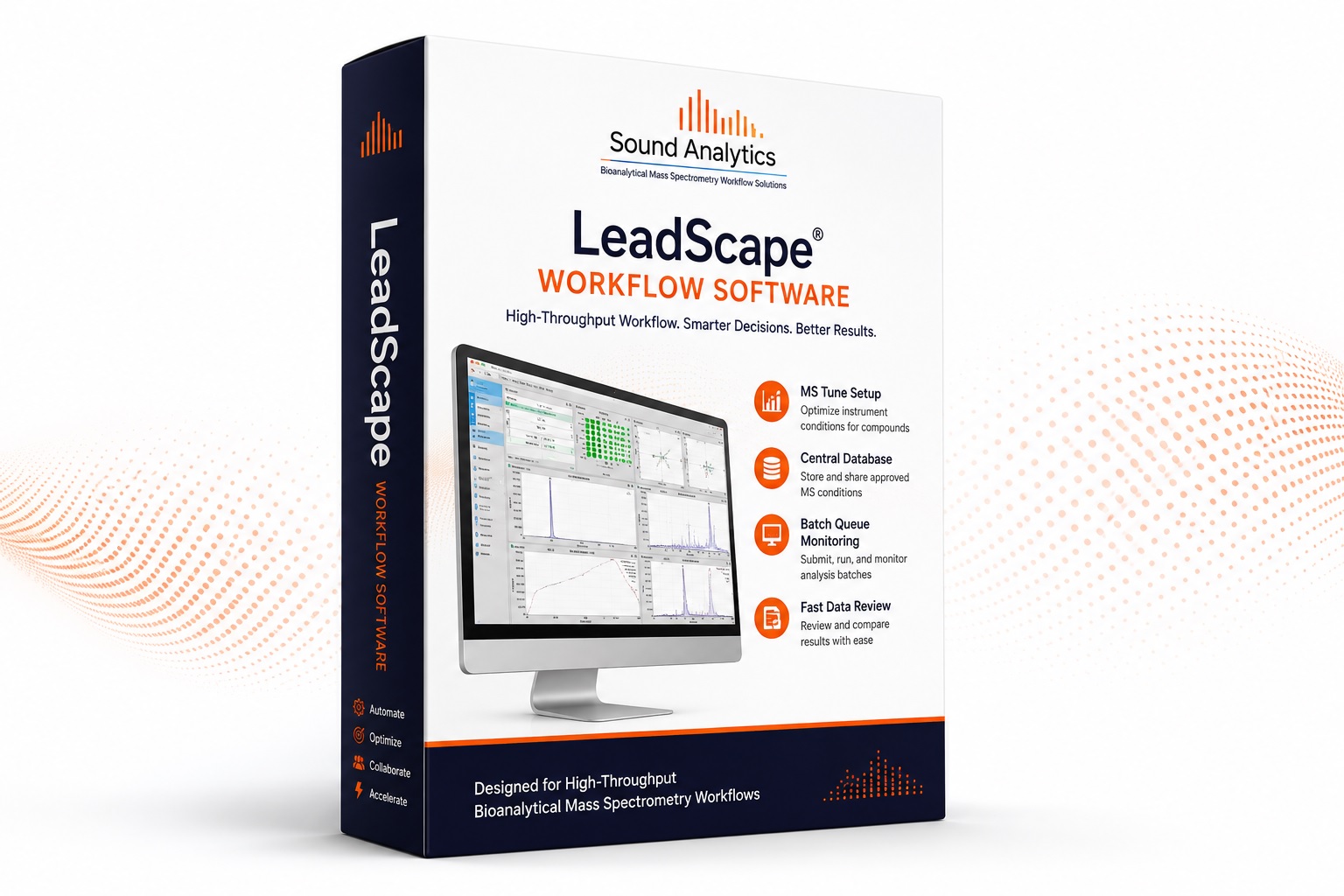
From the developers of DiscoveryQuant, LeadScape® helps pharmaceutical research teams streamline MS tuning, batch setup, queue monitoring, method sharing, and fast data review through a centralized workflow environment.
High-Throughput Workflow Capabilities
- Setup MS Tune workflows
- Optimize mass spectrometer conditions for compounds
- Import sample lists and compound lists from LIMS, databases, or sample files
- Choose experiments, assign data folders, and submit jobs
- Review tune results and upload approved MS conditions to a central database
- Quickly set up analysis batches using stored MS conditions
- Submit, run, and monitor batch queues
- Review and compare tune results in Compound Summary
- Accelerate data review for high-throughput bioanalytical workflows
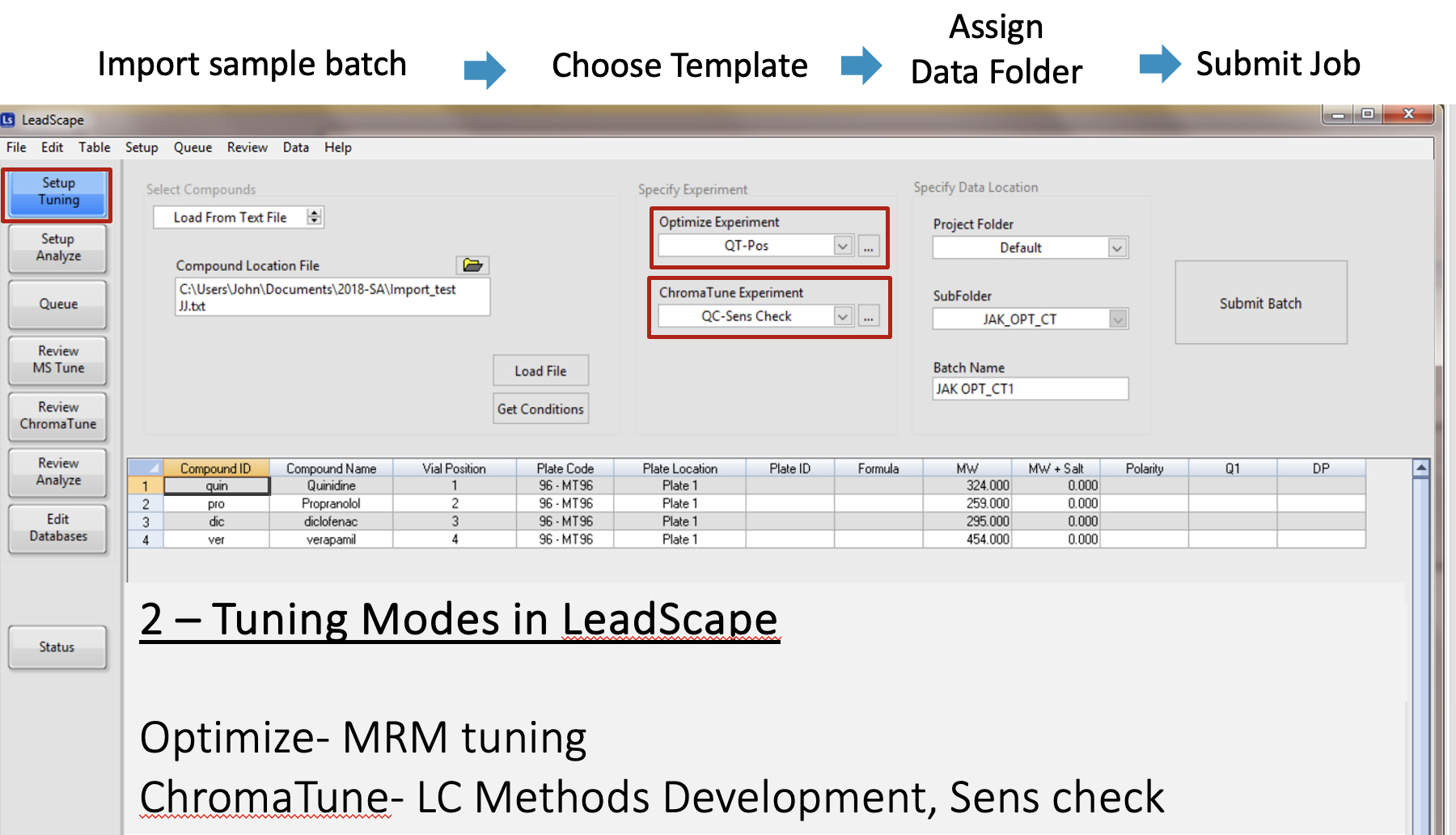
Setup MS Tune
LeadScape® helps scientists optimize mass spectrometer conditions for compounds by guiding setup through a clear workflow: import sample list, choose experiment, assign data folder, and submit the job.
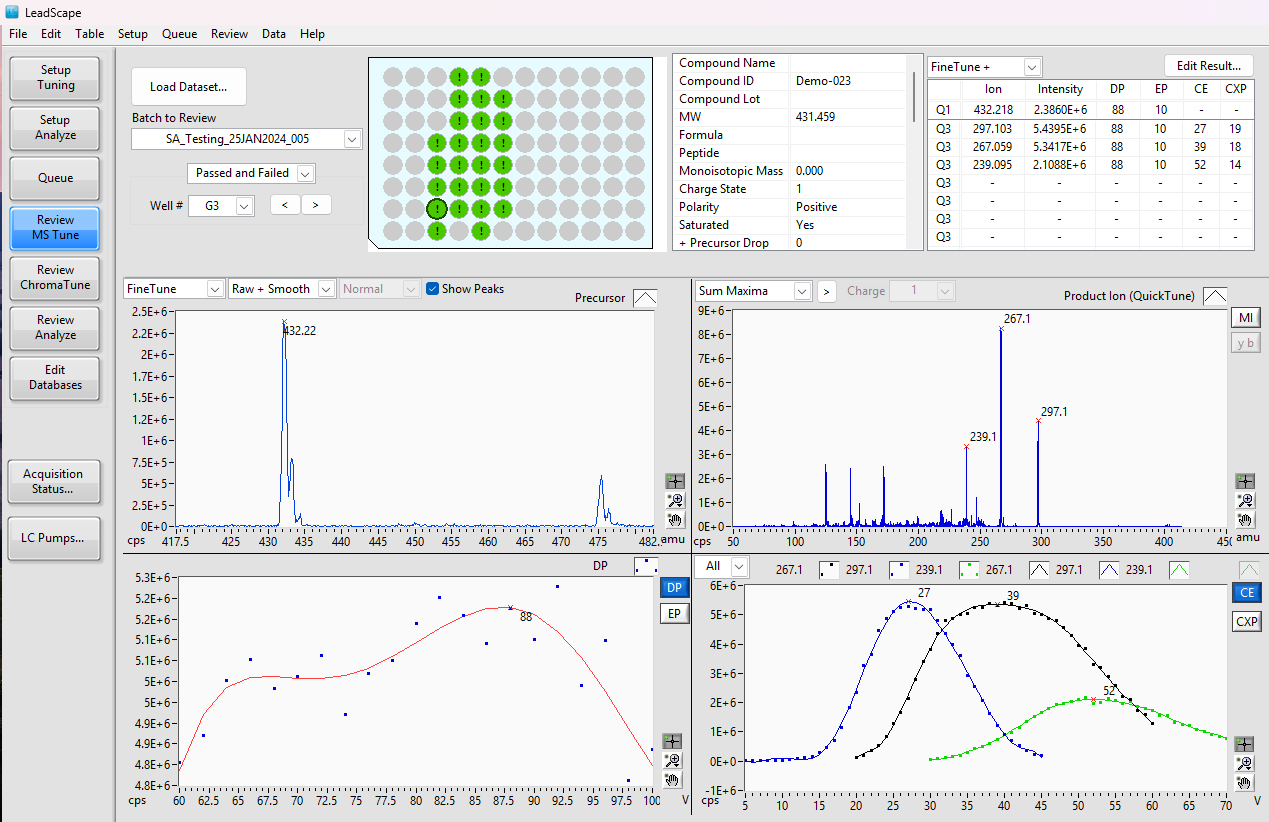
Tune Review
Review mass spec tune results inside LeadScape® and upload approved MS conditions to a central database, helping teams standardize methods and share validated conditions across the organization.
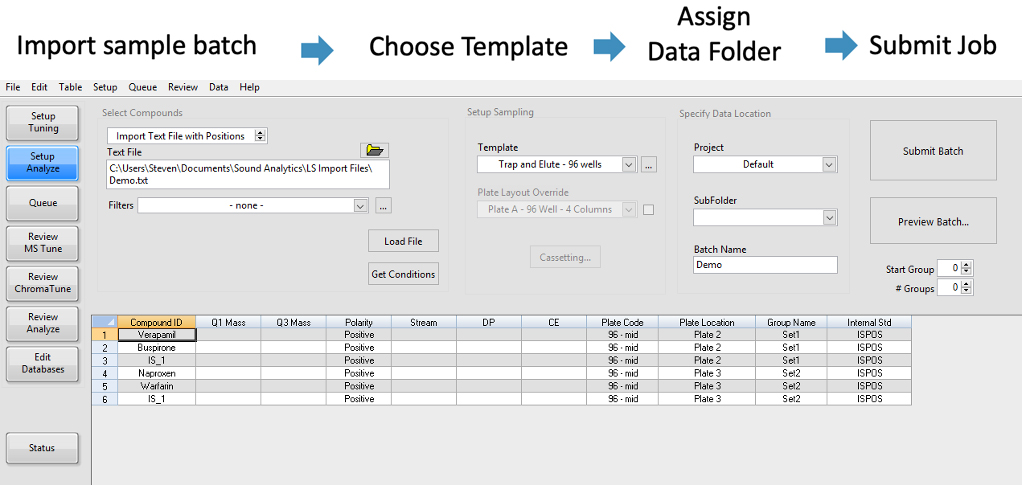
Batch Setup
Import compound lists from LIMS, databases, or sample file lists, then quickly set up analysis batches by pulling approved MS conditions from the central database.
Submit, Run, and Monitor Batch Queue
LeadScape® allows users to submit jobs, run batches, and monitor the batch queue from one workflow environment, giving teams clearer visibility into active and submitted work.
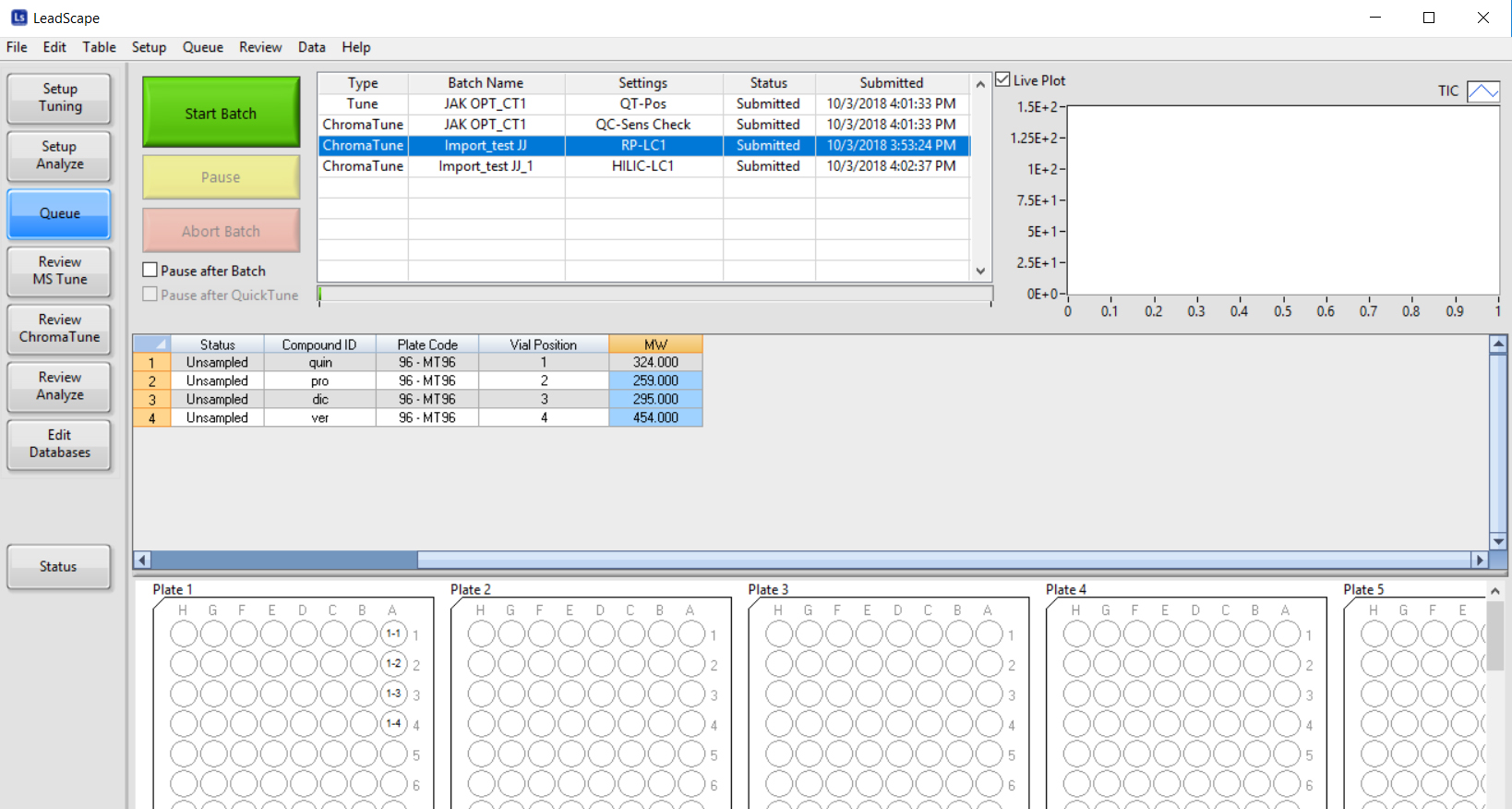
Batch Queue Overview
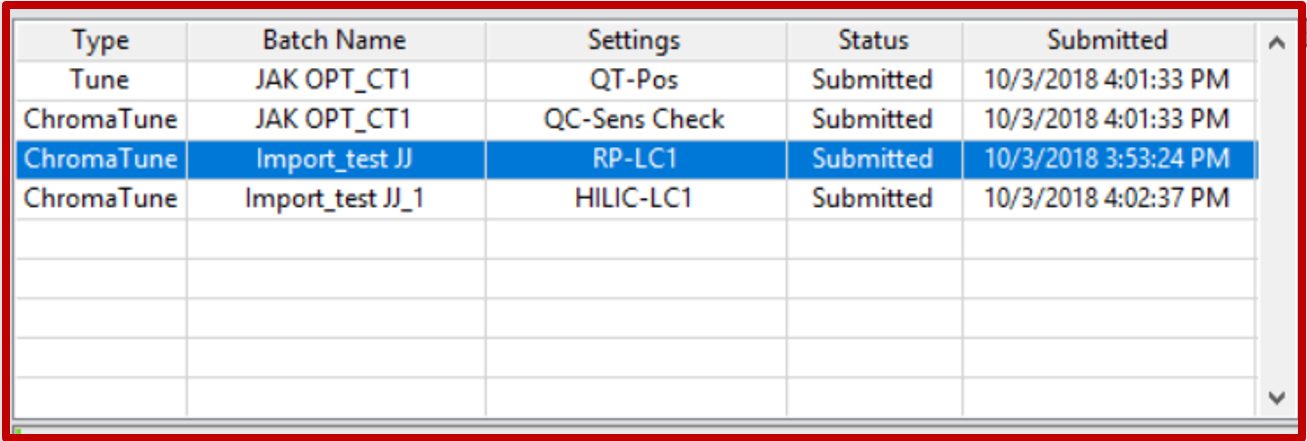
Submitted Batch Queue Detail
Review and Compare Tune Results
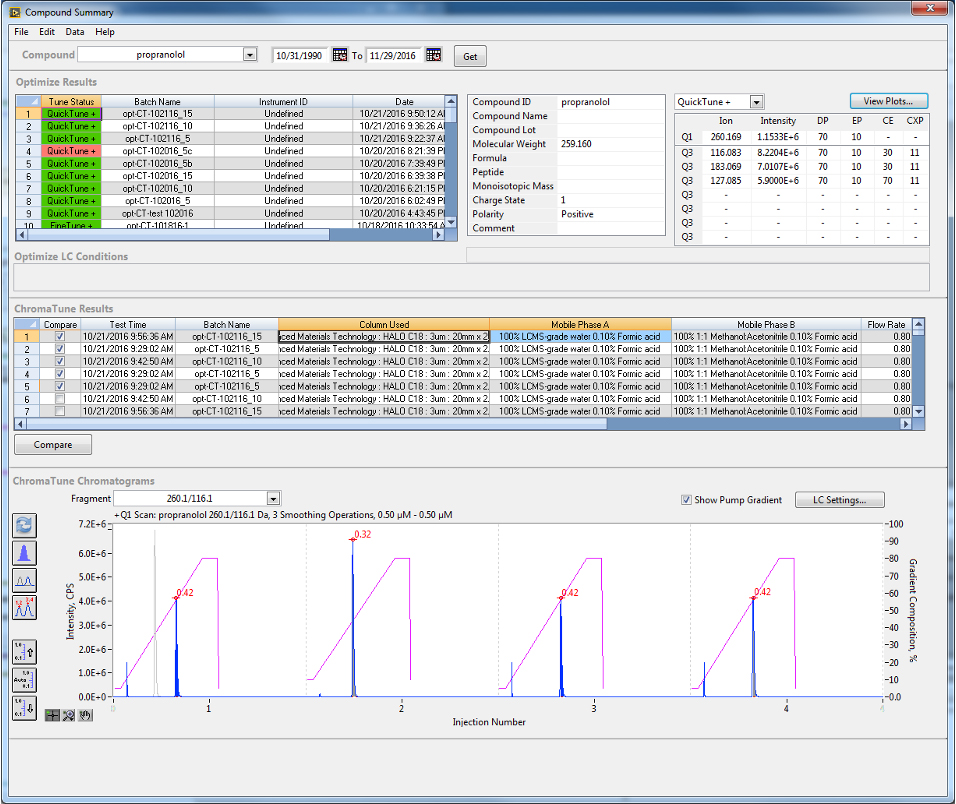
Use Compound Summary to review and compare tune results, supporting faster decision-making and easier method evaluation across compounds and batches.
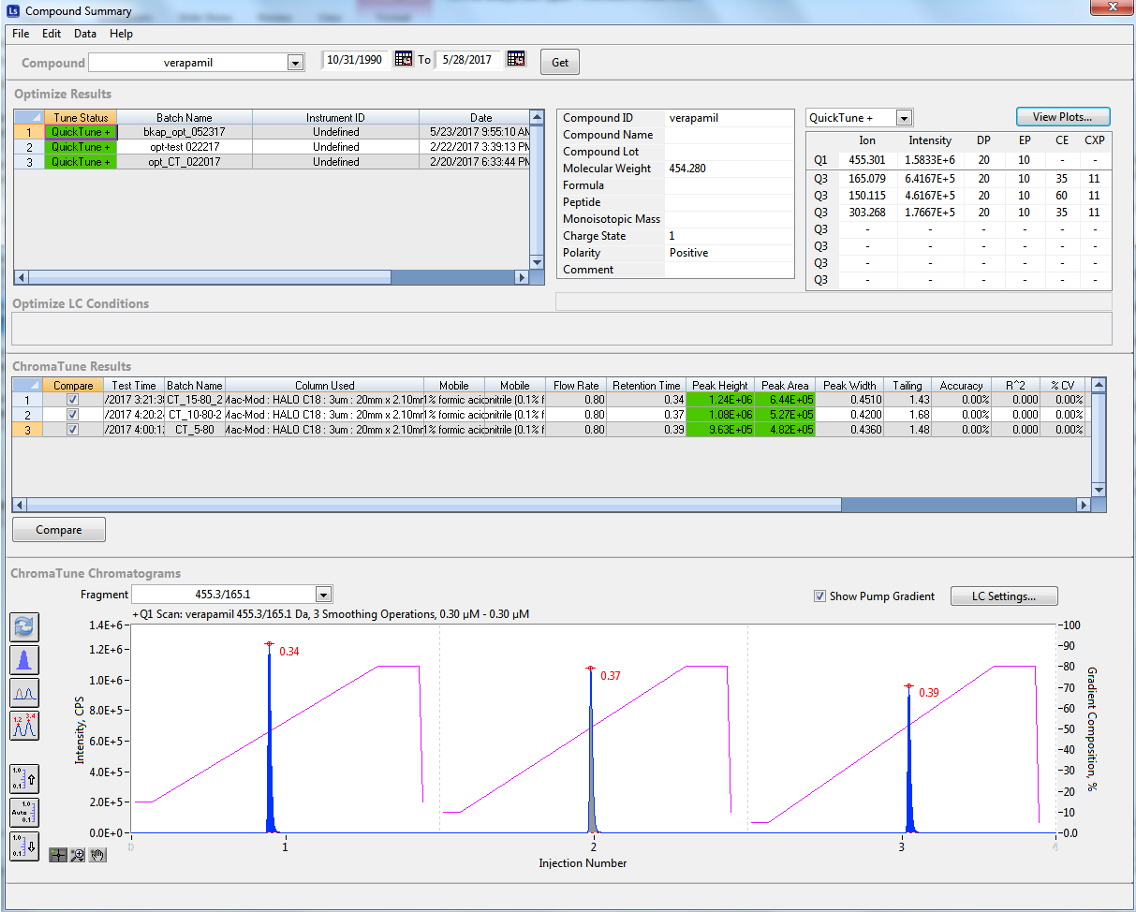
Compound Summary
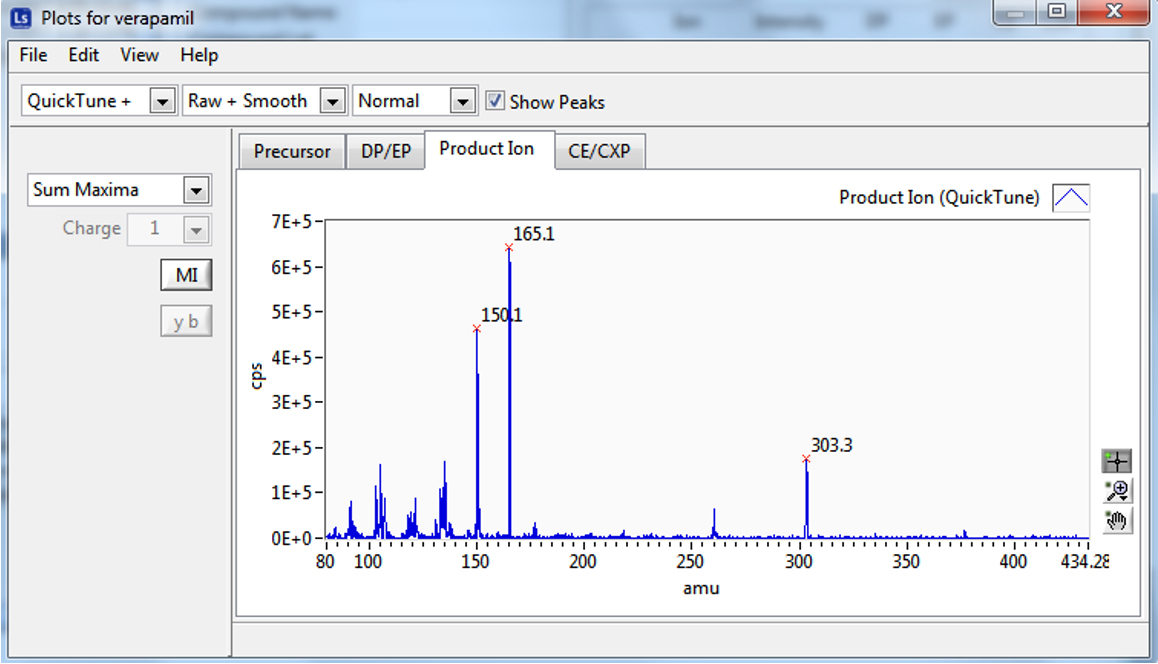
Tune Result Comparison
Fast Data Review
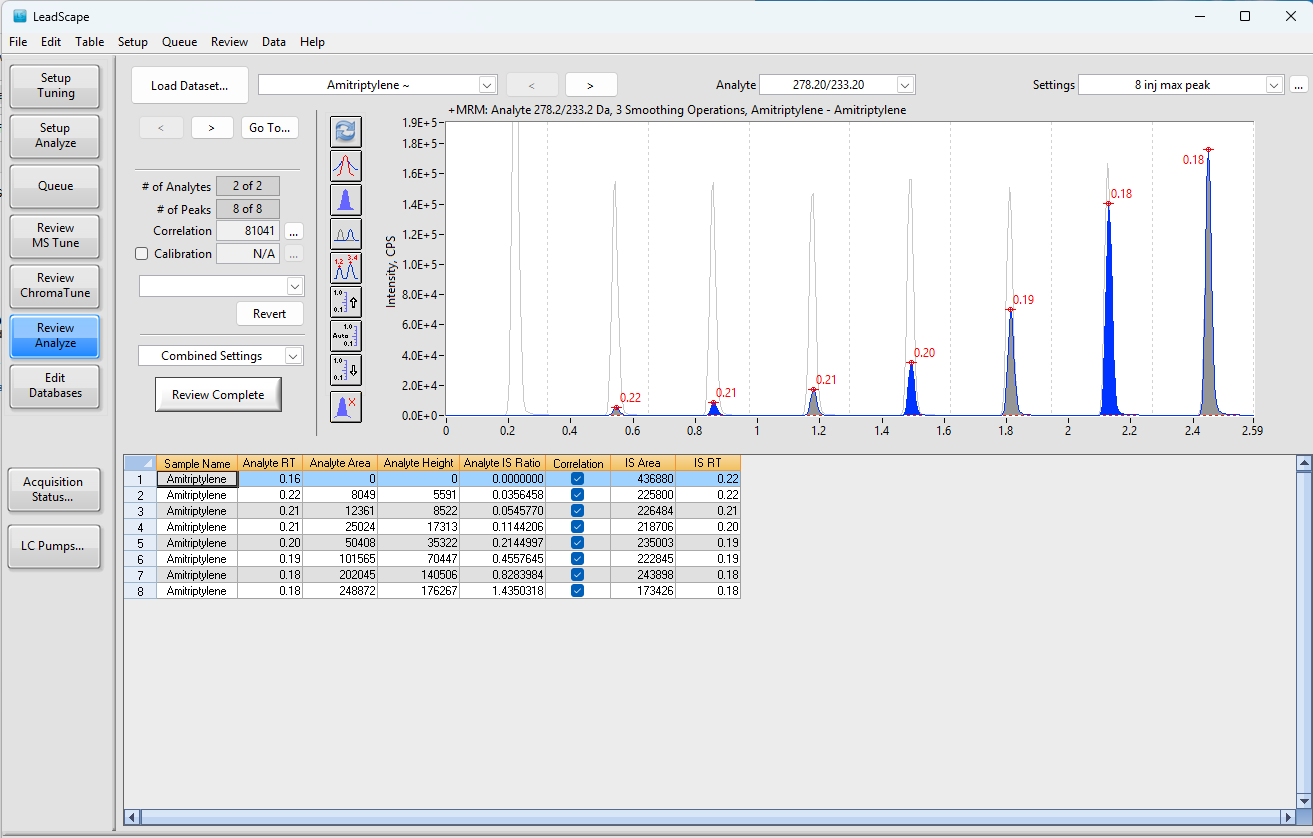
LeadScape® supports fast data review for high-throughput workflows, helping research teams move from acquisition to review with less manual effort and better workflow visibility.
CT Summary
The CT Summary view can be included when teams need an additional summary screen for reviewing compound and chromatogram results.
Have questions about LeadScape® Workflow Software?